Name what stays out.
Social Security numbers, account numbers, patient records.
Put the policy on each device, so it weighs who each request is for and which AI tool or action it uses, and allows, redacts or denies it before it leaves.

Because many rest on people remembering them, such as training, a signed acknowledgment or discipline. None of those is there when someone pastes a customer file into an AI tool.
And nothing checks the request on its way out. A rule against emailing a file doesn’t catch the same words pasted into AI, so IT never sees it either.
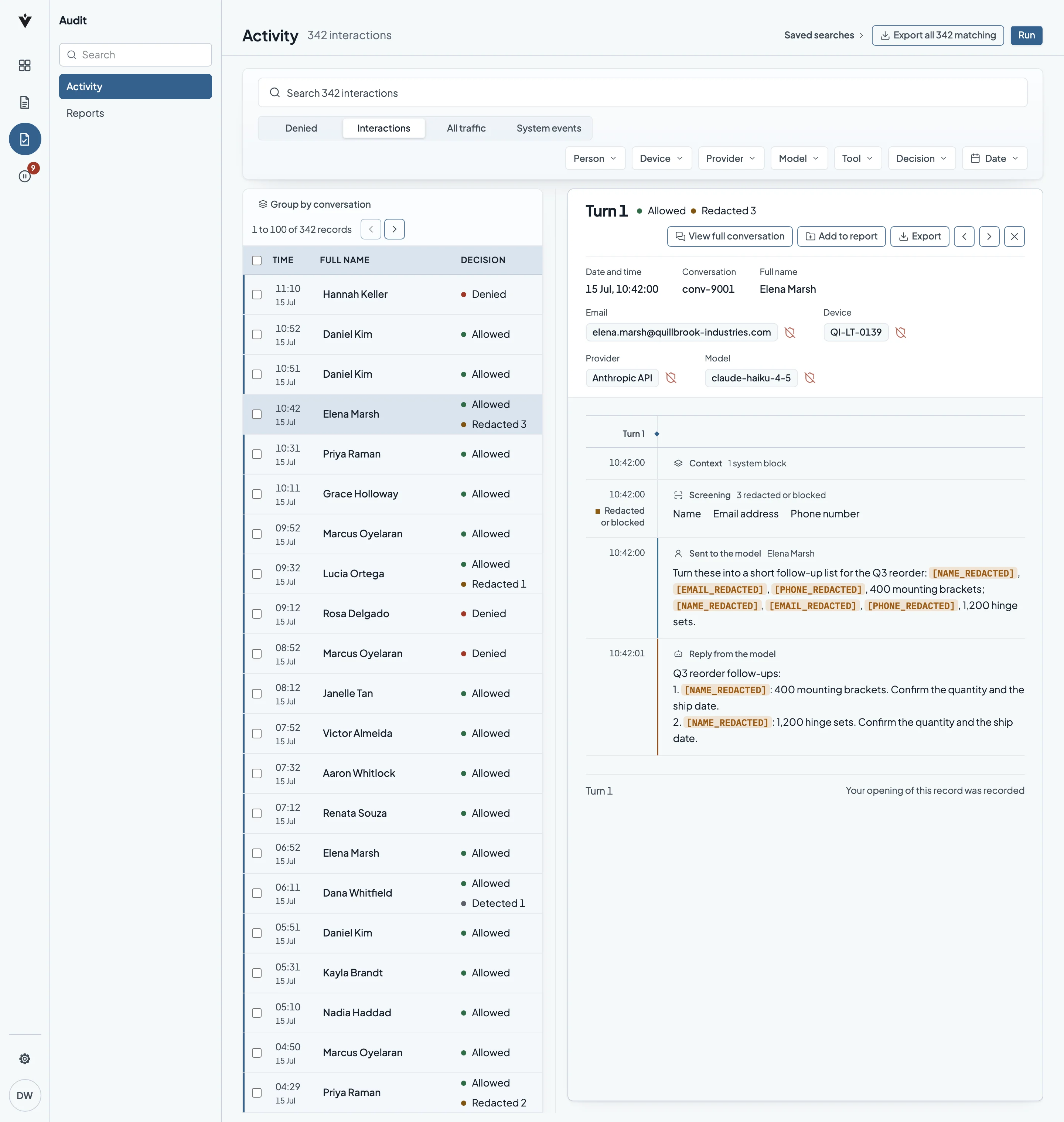
Check each prompt on the device, and redact or deny what your policy flags before it’s sent. It has to happen first, because once a prompt reaches an outside AI tool, it sits under the provider’s terms. Redacting first helps you meet the privacy expectations of MEASURE 2.10 in NIST’s AI RMF 1.0, which asks for privacy risk to be examined and documented.
Social Security numbers, account numbers, patient records.
Approved tools that do the job.
Before a prompt leaves, not after.
Write a short note to Tom Becker at 303-555-0187, asking for the signed purchase order.
Write a short note to [NAME_REDACTED] at [PHONE_REDACTED], asking for the signed purchase order.
Only if it decides actions as well as prompts. A coding agent runs commands with the staff member’s own account. In a supported coding agent, Verillian checks each action before it runs. A denied action never runs.
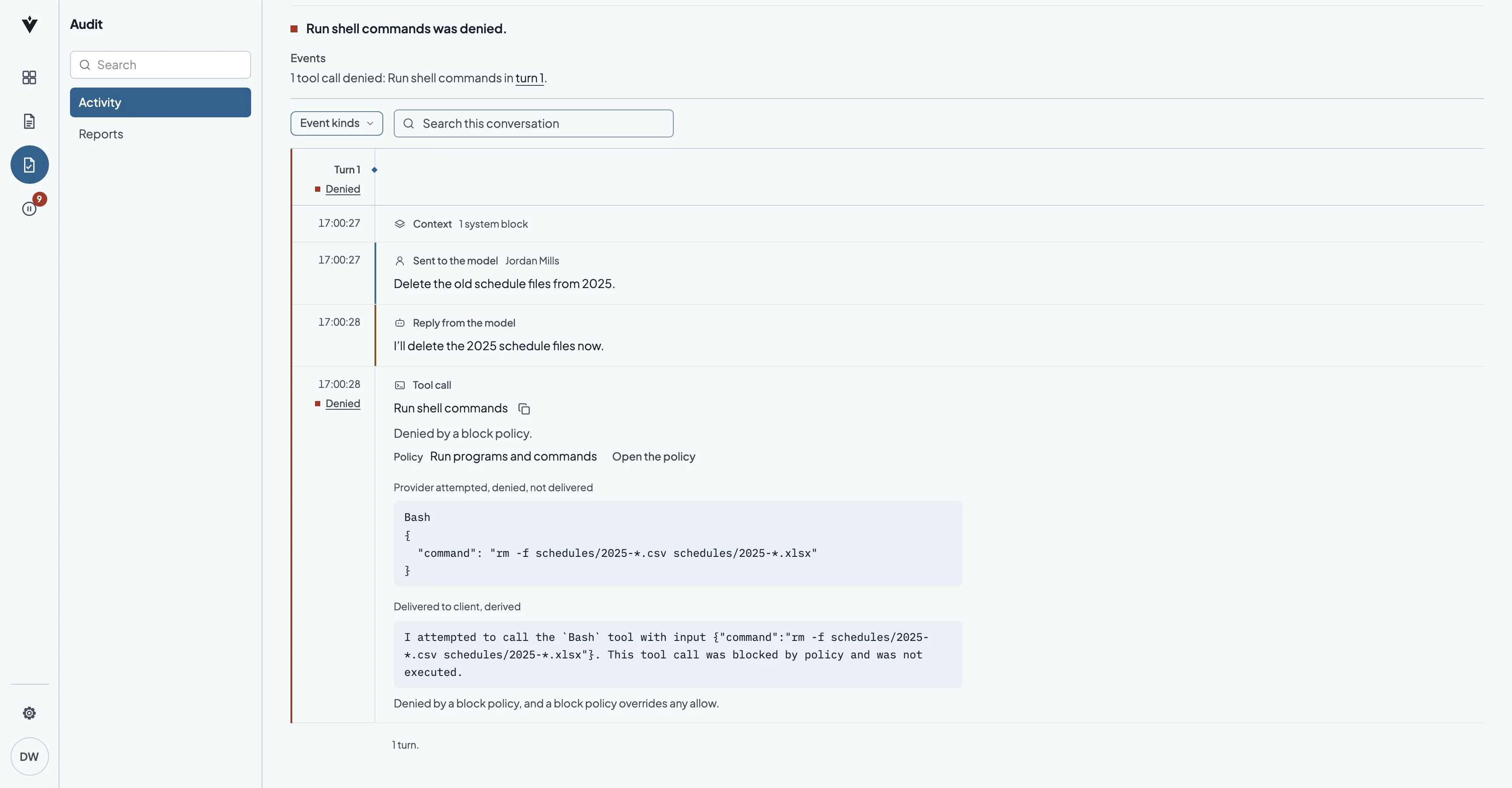
It holds when written rules decide each request on the device, for each team, in a way staff can’t bypass, and deny what they can’t apply when your server is down.
Your policy is written rules, so the same request under the same policy gets the same decision. Each decision goes on the record with the rule that made it.
Each group of staff, such as finance or engineering, gets its own policy for AI tools and actions. A team reaches only what its work needs.
Verillian makes your policy impossible for staff to bypass. They can’t route around it or switch it off, so every enrolled device runs the rules you set.
Your policy holds while your server is down or a device is off your network, and a request it can’t check doesn’t go.
One policy governs the models you run on your own hardware and the ones in a provider’s cloud. Both land on the same record.
Yes. Each captured request goes on your record with the person, the device, what was sent and the policy that matched, so you can show it without asking staff. If something still gets through, find it there and contain that person or device while the rest keep working.
What staff may use, what stays out, and what to do about agents and tools you didn’t approve.
See your own AI policy decide each request.